

|
What are the benefits of aircanada.com check-in?
Aircanada.com check-in is the easiest way for you to check-in for your flight on Air Canada or Air Canada Jazz. Aircanada.com check-in opens 24 hours before departure and if you don't have a pre-assigned seat, it offers you the best chance to find the seat you want. If you are travelling without checked baggage, aircanada.com check-in allows you to bypass any check-in lines at the airport and head straight to security. And most importantly, it gives you more control over your time, you can check-in when you want to.
NEW SECURITY MEASURE
For a detailed list of Transport Canada prohibited items (e.g. liquids, gels, etc.) in carry-on baggage please refer to the Canadian Air Transport Security Authority CATSA web site.
For specifications regarding permitted types and quantities of liquids and gels, as well as accepted packaging, please consult the Reminder to Travellers (pdf file, 267 KB).
Canada's policy on prohibited items may vary from that of other countries. For restrictions departing from other countries, please consult the following web sites:
Customers are advised that this list is not comprehensive, and are urged to check with their local airport operators before travelling.
How do I use aircanada.com check-in?
Simply click on the "Web Check-in" link. Once you have identified yourself, you will be able to select a seat, change seat selection, standby for an earlier flight (if your fare permits) or standby for an upgrade using your certificate (if your fare permits). When you have made your choices, a boarding pass is generated on your screen. Simply print it and take it to the airport. This boarding pass allows you to proceed through security and board the aircraft as usual.
Who can use aircanada.com check-in?
You may use aircanada.com check-in if:
When can I use aircanada.com check-in?
- Within Canada as early as 24 hours and up to 1 hour prior to departure
- To or from the United States as early as 24 hours and up to 1.5 hours prior to departure
- To or from all other destinations as early as 24 hours and up to 2 hours prior to departure
What identification information do I need to use aircanada.com check-in?
- The credit card number used to purchase your electronic ticket, or
- Your Aeroplan number (provided it was stored in your booking), or
- Your booking reference (either the six-digit Air Canada reference or the reference provided by your travel agent)
Does it matter where I bought my ticket?
Not at all. Whether you bought your ticket from aircanada.com, from our call centres or from a travel agency or online agency, you can use aircanada.com check-in.
Can I use aircanada.com check-in if I do not have a seat assignment?
Absolutely. And the benefit of aircanada.com check-in is that you will get a better choice of seats than if you wait until you get to the airport to check-in.
Please note: checked baggage will not be accepted any earlier than four hours prior to flight departure
Can I use aircanada.com check-in if I have bags to check?
Yes! Just advise the number of bags you have to check and complete the check-in. At the airport, go to the Baggage drop-off counter or see an Air Canada agent at the check-in counter.
Can I use aircanada.com check-in if I have a connecting flight?
Absolutely! You can use aircanada.com check-in when you have a connecting flight and you will be able to check-in for all your flights at the same time.
When can I completed my online check-in if my itinerary includes a connection with a US flight?
If your itinerary includes a connection with a US flight, the online check-in will be possible 24 hrs prior to the US flight departure time.
Example:
May 24 08:00 YUL-YYZ
May 24 11:00 YYZ-BOS
In this example, online check-in will be available 11h00 on May 23.
This stipulation is to comply with a US government rule imposed to all airlines.
How do I get a boarding pass?
The aircanada.com check-in process results in a boarding pass you can print right on your own printer.
From Paris Charles de Gaulle, a confirmation of check in will be obtained. An official boarding pass will be printed at the Kiosk or with an Airport agent at baggage drop off.
What if my printer fails to print the boarding pass or if I forget to print the boarding pass?
You may reprint the boarding pass at the airport, by using a self-service check-in kiosk at the airport, or by seeing an Air Canada agent at the check-in counter.
What should I do if I lose my boarding pass?
You may reprint the boarding pass at the airport, by using a self-service check-in kiosk at the airport, or by seeing an Air Canada agent at the check-in counter.

Can I add or change an Aeroplan or other frequent flyer number using aircanada.com check-in?
Yes. You may review and change a frequent flyer number already on your reservation file, or add one. Just click on the frequent flyer item in the flight information page during check-in.
Can I use aircanada.com check-in to add a special service request such as a wheelchair or special meal?
No. You are able to review any special services requested at time of reservation. If you have a new request, please call Air Canada at 888 247-2262. Please note that special meal requests require 24 hours advance notice. We are always ready to provide wheelchair assistance at the airport.
Can I use aircanada.com check-in for an unaccompanied child?
No. Children traveling as unaccompanied minors (UM) cannot use aircanada.com check-in because of the special procedures necessary to assure their safety.
What if other people in my reservation file wish to check-in separately?
This is no problem with aircanada.com check-in. Each person is able to check-in when and where they wish.
What should I do at the airport?
Once you have printed a boarding pass from aircanada.com check-in, you may proceed to the airport with the boarding pass, your electronic ticket receipt or paper ticket and photo identification.
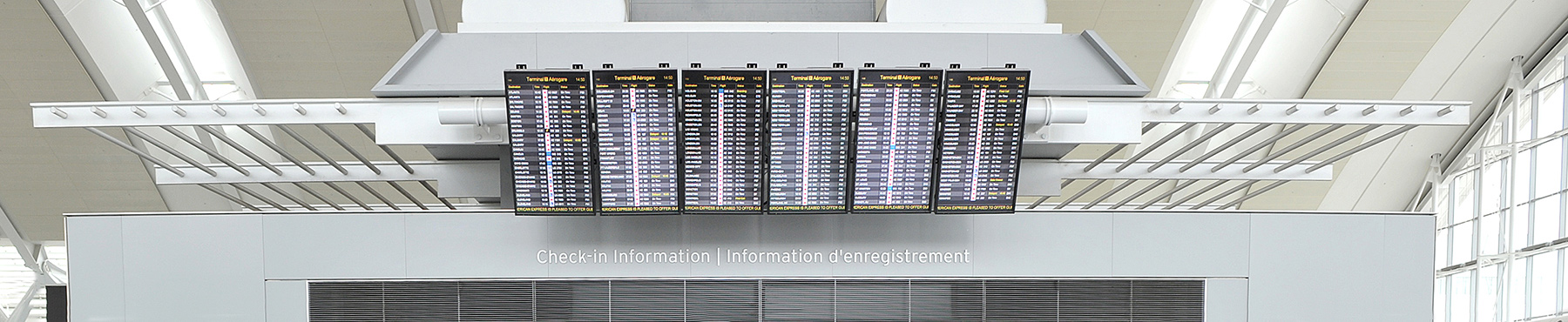
If you have no baggage to check-in, you should proceed directly to security screening and then to the departure gate for your flight. You may verify the departure gate on any of the screens at the airport.
If you have baggage to check, go to the baggage drop-off or the Air Canada check-in counter.
What documents are required at the airport?
Please take the boarding pass you printed from aircanada.com check-in, as well as your electronic ticket receipt or paper ticket and photo identification. You may proceed directly to the security screening point at the airport, then to your gate.
If my flight is delayed or cancelled before I check-in, will I be informed / rebooked at check-in time?
If your flight is delayed more than 15 minutes, the status on the flight information screen will show DELAYED. If the flight is cancelled, you will be rebooked on another flight and will be asked to check-in for that flight automatically. For the most useful information on the status of your flight, sign up for aircanada.com Flight Notification, which notifies you of delayed or cancelled flights with email messaging through cell phones, pagers or email.

Are there any printer settings I should be aware of?
Always ensure your printer is on and paper available before you click on the Print button. The page setup should be set to portrait mode, letter size (8 ½ x 11 in.) using normal or better quality.
What should I do if I am unable to travel after using aircanada.com check-in?
If you are unable to travel, please call your travel agent or Air Canada at 1 888 247-2262 to rebook your flight, after flight departure time. Per the fare rule, change fee and applicable additional collection may apply. Failure to call your travel agent or Air Canada may result in your ticket being forfeited.
Who cannot use aircanada.com check-in?
Customers travelling in groups of more than nine, customers requiring certain special services (such as Unaccompanied Minor), and customers from whom Air Canada requires additional information that needs to be collected at the airport.
How can I make a same-day change to my reservation?
-
Successfully complete web check-in for all passengers on the PNR (max of four passengers)
-
If a passenger is eligible for a same day change and there is an alternate flight available, a "Change flight" button will be displayed on the "Your flight information" page.
-
When a passenger chooses the "Change flight" option:
How many flights will be offered?
The system will offer up to 2 flights.
When is a same day change available?
A same day change is offered only on the same calendar day as the initial departure flight.
Can I stop the process of a same-day change?
Yes, you can stop the change process until payment or change is completed.
How much does a same day change cost?
It depends on the fare product you originally purchased:
-
Executive class: no fee
-
Latitude: no fee
-
Tango Plus: $50 CAD/USD
-
Tango: $150 CAD/USD
Which flights are eligible for a same day change?
Presently same day change is offered for North American Flights only.
How can I cancel my check-in?
-
Go to the "check in" option from aircanada.com
-
Enter refinement option
-
Last name and first name
-
Departure city
-
One of following option:
-
Once the itinerary is retrieved and the criteria are met, the information page is presented with the option to cancel check-in.
What criteria will allow me to cancel my check-in?
If the flight is already closed, passengers will have to contact their travel agent or call Air Canada at 1-888-247-2262 after the departure time to rebook the flight.
Can I cancel my check-in if made online?
You may cancel any check-in made either with:
-
An airport agent
-
At self servicek kiosk
-
On aircanada.com
-
On mobile check-in
|