
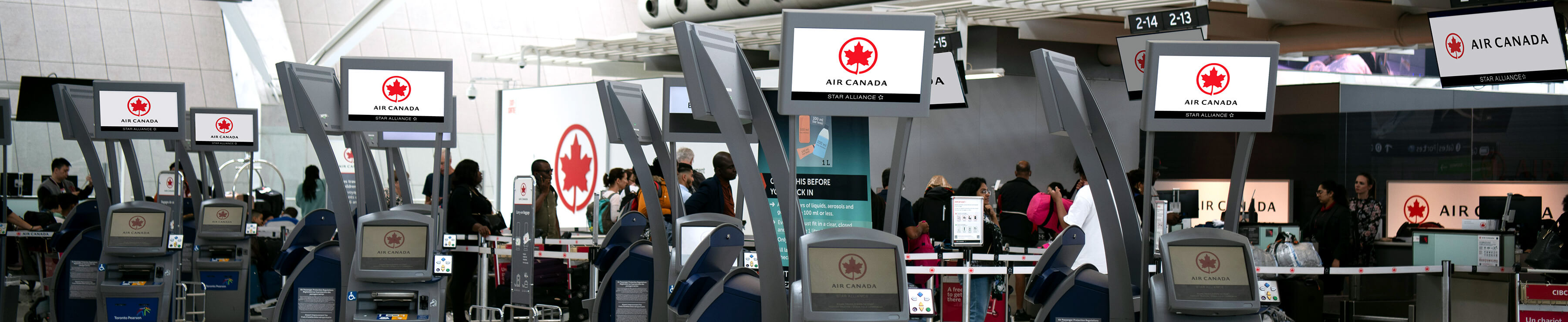
Our Self-Service Check-in Kiosks are designed to get you through the airport process stress-free!
Self-Service Kiosks can be used if your ticket was purchased through the Internet, Air Canada Reservations, or a travel agent.
Do you prefer the convenience of checking in from your home or office computer in advance? Discover all the advantages of Web Check-in.
- Overview
- FAQ
Where?
Who can use the Self-Serve Kiosk?
You can check in at a Self-Service Kiosk if:
- You are booked on an Air Canada or Air Canada Express flight* (flights with other airlines are not eligible);
- You have purchased a paper ticket or an electronic ticket through aircanada.com, Air Canada Reservations, or your travel agent.
- You are travelling with or without checked baggage**;
You’ll need to identify yourself using one of the following:
- Your booking reference
- Your payment card***
- Your Aeroplan or Star Alliance™ frequent flyer card
- The barcode that appears on your itinerary receipt
- Your passport
* For itineraries that include a connecting flight, your first flight must be with Air Canada or Air Canada Express.
** You may deposit your bags at the Baggage Drop-Off counter within the four (4) hour period prior to departure.
*** Payment card information is used for identification purposes only: no fee will be charged and your Payment card information will not be retained.
We are travelling as a group. Can we check in at a kiosk?
Yes. You may check in up to 9 passengers at a time. For instance, if your group consists of 27 passengers, the group representative will need to complete 3 check-in sessions containing 9 passengers each.
- Be sure you have all of the following information and identification on hand:
- The first and last names of all passengers (entered individually for security purposes)
- The total number of bags to check for each passenger
- APIS information for travel to Canada, to/from the U.S. and other countries:
- Gender, date of birth, nationality and country of residence
- Travel document or passport number, country of issue and expiry date
- Destination address in the U.S. (if applicable)
What if I need help?
Our Self-Service Kiosks are easy to use. But should you need help at any point, our Kiosk Assist Agents are available on site to answer all your questions.
Can I check in at a Self-Service Kiosk if my booking includes a connecting flight?
Yes. The Self-Service Check-in kiosk will allow you to receive all of your required boarding passes, including those for any connecting flights. The Kiosk can give up to four boarding passes for connecting flights, as long as the flights are all part of the same reservation.
Does the Self-Service Kiosk allow me to make a seat change?
Yes. On the Kiosk's main page containing flight information and seat number, select the "Change Seats" button and follow the instructions via the seat map. Follow the same steps if you're already checked in and you decide to make a seat change at the airport.
Does the Check-in Kiosk allow me to pay additional checked baggage charges?
The additional checked baggage charges collection service is offered at all Self-Service Check-in kiosks in North America; it allows you to pay for additional checked baggage charges using your payment card.
To pay additional checked baggage charges at a Self-Service Kiosk, simply go to the Baggage Selection screen and follow the instructions.
Can I use the Kiosk to request a special meal or a wheelchair?
No. You can only verify that your special meal or wheelchair request is on your record by selecting the "Special Request" button. Special meals and wheelchairs must be requested in advance by contacting Air Canada Reservations. For detailed information, please visit Special Requests.
Can the Self-Service Kiosk be used to check in a child or a young traveller?
Young travellers (12 to 17 years old) for whom the Unaccompanied Minor service has not been requested can use the Self-Service Check-in kiosk.
Note: Unaccompanied minors cannot use the kiosk because of the special procedures necessary to ensure their safety.
Does the Self-Service Kiosk allow me to accumulate frequent flyer points on other Star Alliance airlines?
Yes. Simply touch the button located below the text Frequent Flyer Number and you will be offered a choice of Star Alliance member airlines on which you can accumulate points. Once you have selected an airline, you will be asked to key in your Frequent Flyer number.