

Let us connect and entertain you
Experience our award-winning in-flight entertainment, high-speed Wi-Fi, and exciting features for the most enjoyable and connected travel experience in the skies.
New features ready for take-off



Say bon voyage to boredom
Sit back, relax, and stream newly released movies, classic films and current TV shows, or curate the soundtrack to your flight with a huge library of music, radio, and podcasts to enjoy.
Want to check up on your social networks? We’ve got you covered with the fastest Wi-Fi in Canada.


Award winning entertainment
At the 2024 APEX Best in Entertainment Awards, customers across more than 600 airlines, and on nearly a million flights around the world voted Air Canada as the best in-flight entertainment in North America for the second year in a row.
This Airbus 321 is now taking you to new heights
Our first upgraded Airbus 321 has been redesigned with industry-leading technology that we’re testing, including exterior cameras, Bluetooth audio compatibility, and free high-speed internet sponsored by Bell. Keep an eye out for FIN #451 for this elevated experience, with more to come in the future.

Scroll, stream and stay connected with our fast, free in-flight Wi-Fi, available on most Air Canada flights and all Air Canada Rouge flights.
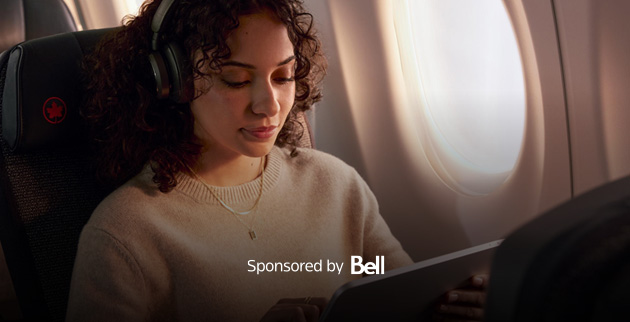
Fast free Wi-Fi for Aeroplan Members, United MileagePlus® members and Business Class passengers. Sponsored by Bell.
Stay connected with complimentary streaming quality internet* from gate to gate on flights within North America and to Sun destinations. Plus, Aeroplan Members enjoy free Wi-Fi on United flights†. To access free Wi-Fi on United’s Starlink enabled aircrafts, ensure your Aeroplan number is added to your reservation and enter your date of birth and United booking confirmation code when signing in.
Free Wi-Fi on Air Canada long-haul international flights are planned to be added in 2026.
*Access is subject to terms and conditions. Free Wi-Fi is available on flights within North America and to Sun destinations that are equipped with highspeed inflight connectivity.
†Terms and conditions apply.
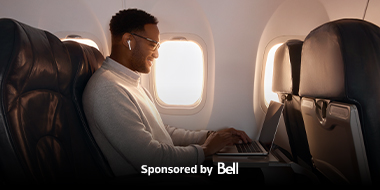
Fast, free Wi-Fi on flights at Billy Bishop Toronto City Airport. Sponsored by Bell.
Air Canada customers can enjoy complimentary streaming-quality internet* from gate to gate on our flights at Billy Bishop Toronto City Airport.
*Access is subject to terms and conditions. Free Wi-Fi is available on flights equipped with high-speed in-flight connectivity.
Free texting for Aeroplan Members. Sponsored by Bell.
To use free texting, make sure you add your Aeroplan number to your booking before you complete your check-in. You can use: Apple’s iMessage, Meta’s Messenger and WhatsApp, Messages by Google, WeChat, LINE, KakaoTalk, Telegram, Tencent QQ, and Rakuten’s Viber. Please note that photos, videos and attachments are not supported.


Getting Wi-Fi has never been easier.
You can now use your Aeroplan points to purchase Wi-Fi and stay connected from takeoff to landing.
When on board, simply choose a Wi-Fi pass priced in points, sign in to your Aeroplan account, and redeem for Wi-Fi access. Not yet an Aeroplan member? Sign up today
Air Canada Elite Wi-Fi plan
Aeroplan 75K and Super Elite Members who've chosen the Wi-Fi plan as a select benefit will enjoy 12 months of unlimited Wi-Fi access on any Wi-Fi-equipped Air Canada flight. If selected, the benefit will need to be activated on board by December 30 of the current year.
Once you've connected on board, select the Aeroplan 75K and Super Elite Members option to activate and use the Wi-Fi plan.
Find out if Wi-Fi is available on your next flight*
* We’re only able to show Wi-Fi availability for the next five days. Please check back later if the information for your flight is not listed yet.
An ever-growing connected fleet
As part of our commitment to our customers, we are adding Wi-Fi service to more aircraft in our fleet all the time. Check out our progress below.



How to connect
- 1In your settings, set device to Airplane mode and enable Wi-Fi.
- 2Connect to the "ACWiFi.com" network.
- 3Open your browser and type "acwifi.com" in the address bar and follow the prompts to connect.

Have a question or in need of tech support? Visit Wi-Fi Onboard for help from our service provider. And remember, access to aircanada.com and the Air Canada mobile app is always complimentary for everyone, with no Wi-Fi purchase required.

Stay charged during the flight
Our aircraft are outfitted with power outlets at every Business Class and Air Canada Signature Class seat, and on select Economy Class seats. USB ports for charging are available at every seat.

Supported devices and browsers
Air Canada Wi-Fi works on Wi-Fi-enabled devices that run Android®, Apple®, Blackberry® and Windows® platforms. Supported Web browsers are Google Chrome, Mozilla Firefox, Internet Explorer (8+), Microsoft Edge and Safari.
Terms and Conditions
Wi-Fi Terms and Conditions
- Voice Service (including Voice over IP) is not supported.
- Any liability for damage to the passenger caused by loss of information or data is rejected by the airline. In the case of misuse or manipulation, any liability is rejected by the airline. Even within the nationwide coverage area, there are several factors that may interfere with actual service, quality, and availability—including the ability to initiate, validate and maintain an in-flight connection. These factors include, but are not limited to, network changes, aircraft and network traffic volume, service outages, technical limitations, signal strength and other conditions.
- Wi-Fi access is only available on select North American and international Air Canada-operated flights.
- In-flight Wi-Fi prices, if applicable, vary by flight duration and are available once logged onto the in-flight Wi-Fi portal.
Free Texting Terms and conditions:
The following Terms and Conditions apply to the free texting service:
- Free texting is a service extended to Aeroplan Members on flights operated by Air Canada, Air Canada Rouge and Air Canada Express which are equipped with in-flight Wi-Fi (" Texting Service").
- To benefit from the Texting Service, Aeroplan Members must add their Aeroplan number during the Air Canada booking or check-in process.
- Aeroplan Members must have a smartphone already equipped with Apple’s iMessage, Meta’s Messenger and WhatsApp, Messages by Google, WeChat, LINE, KakaoTalk, Telegram, Tencent QQ and/or Rakuten’s Viber prior to connecting to the Texting Service.
- Purchase of in-flight Wi-Fi is not required to use the Texting Service.
- Texting Service is only available during the period when Air Canada Wi-Fi is accessible.
- Texting Service will not support the transmission and/or receipt of photos, videos, VoIP, attachments or SMS.
- Any liability for damage to the passenger caused by loss of information or data is rejected by Air Canada. In the case of misuse or manipulation, any liability is rejected by Air Canada. Even within the nationwide coverage area, there are several factors that may interfere with actual service, quality and availability—including the ability to initiate, validate and maintain an in-flight connection. These factors include, but are not limited to, network changes, aircraft and network traffic volume, service outages, technical limitations, signal strength and other conditions.
- Texting Service is subject to Intelsat's Wi-Fi Onboard terms of use and Intelsat's privacy policy.
Free Wi-Fi Terms and Conditions:
The following Terms and Conditions apply to the free Wi-Fi service:
- Free Wi-Fi is a service available within North America and to and from Sun destination for flights operated by Air Canada, Air Canada Rouge and Air Canada Express which are equipped with high-speed in-flight Wi-Fi ("Wi-Fi Service").
-
To be eligible for the Wi-Fi Service, users must be either:
- A passenger travelling in Business Class;
- An Aeroplan Member who has added their Aeroplan number during the Air Canada booking or check-in process;
- A passenger on the same reservation as an Aeroplan Member who has added their Aeroplan number during the Air Canada booking or check-in process;
- A United MileagePlus loyalty member who has added their account number to their Air Canada booking.
- Users must have a Wi-Fi enabled device to access the Wi-Fi Service.
- To access the Wi-Fi Service, eligible passengers must consent to Air Canada: (1) using their personal information to target them with advertisements about third-party products and services; and (2) collecting and using their in-flight browsing data to derive insights into groups of passengers and to measure ad effectiveness, as explained in the Wi-Fi Service Privacy Notice.
- Wi-Fi Service is only available during the period when Air Canada Wi-Fi is accessible.
- Any liability for damage to the passenger caused by loss of information or data is rejected by Air Canada. In the case of misuse or manipulation, any liability is rejected by Air Canada. Even within the nationwide coverage area, there are several factors that may interfere with actual service, quality and availability—including the ability to initiate, validate and maintain an in-flight connection. These factors include, but are not limited to, network changes, aircraft and network traffic volume, service outages, technical limitations, signal strength and other conditions.
- Wi-Fi Service is subject to Intelsat's Wi-Fi Onboard terms of use which may not meet accessibility guidelines and/or language preferences, and Intelsat's privacy policy which may not meet accessibility guidelines and/or language preferences.
Free Wi-Fi Terms of Use: Dash 8-400
The following terms and conditions govern your use of the In-Flight Wi-Fi Services (“Services”). By accessing or using the Services, you agree to be bound by these terms and conditions.
- Air Canada is not responsible for any damage or loss you may suffer, including but not limited to those caused by improper use or interference, as a result of your use of the Wi-Fi Service. Although service is available across the country, things like network adjustments, heavy traffic, technical problems, signal quality, and other factors can impact the reliability of your service and in-flight internet connection.
- Wi-Fi access is only available on select North American Air Canada-operated flights.
- The data processed by Air Canada and/or its in-flight Wi-Fi service providers to provide the Services includes: general data on network performance, the number of connected devices, device MAC address, upload and download volume, and Wi-Fi signal strength for a specific device.
- While browsing data is not logged or stored by Air Canada, its in-flight Wi-Fi service providers may collect this information.
- All data transmissions via Wi-Fi are encrypted according to users' device security protocols and website security standards.
- Data analysis may be conducted solely for network quality monitoring, troubleshooting, and technical improvement purposes.
- Air Canada reserves the right to enable filtering options provided by its in-flight Wi-Fi service providers to restrict access to domains associated with malware, phishing, or other security threats.
- The Services is for personal use only in accordance with applicable laws. Any misuse may lead to suspension, termination, and legal action. You will not use the Services for prohibited activities include but are not limited to spreading harmful content, engaging in fraud, disrupting networks, bandwidth abuse, and accessing or distributing content that is sexually explicit, graphically violent, or otherwise inappropriate for a shared public environment.
- Air Canada reserves the right to modify, update, or revise these Terms and Conditions at any time, at its sole discretion and without prior notice. Any such changes shall become effective immediately upon being posted, whether onboard, through the login portal, or via any other official communication channel of Air Canada.
These Terms and Conditions for In-Flight Wi-Fi Service are available for your review at any time on Air Canada's website. By accessing or using the Services, you acknowledge that you have had the opportunity to review, and that you agree to be bound by, these Terms and Conditions, including any modifications that may be made from time to time by Air Canada.
Privacy Notice
Air Canada media network privacy notice
To access Air Canada’s free Wi-Fi Service, you must consent to the collection and use of your personal information to target you with ads for third-party products and services, to measure how effective those ads are, and to derive insights into groups of passengers. This notice provides important details. Please note that, when you are on board an Air Canada aircraft, Canadian privacy law applies.
Air Canada will not collect or use your information for the purposes explained above until its online consent withdrawal mechanism is available to you – now planned for September 2026. (section 2 i). If you would like to withdraw your consent before then, please contact our Principal Privacy Officer (section 4).
If you are under age 18, we will not collect and use your personal information as described in this notice even if you are eligible for free Wi-Fi and check the consent box. (Please read the Terms and Conditions for eligibility conditions.)
Key points
- We may target you with ads for third-party products and services on our in-flight entertainment system, website, and app, as well as on third-party advertising platforms. We may also send you ads directly via emails and text messages.
- You can withdraw your consent as of 24 hours after the end of the flight on which you granted it.
- If, after consenting, you purchase Wi-Fi on a future flight, your consent remains valid until you withdraw it.
- We do not share any of your personal information with the third parties whose products and services we advertise.
- We do not collect and use your inflight browsing information to directly target you with ads. We use it to derive insights into groups of passengers, so we might serve ads to similar passengers, who may include you. We also use it to measure the effectiveness of ads shown on our in-flight entertainment system.
Details
-
What personal information do we collect and how do we use it?
-
To target you for ads
To target you with ads for third-party goods and services, Air Canada uses personal information that we collect about you. The types of information are:
- Your name, demographic information (like age and nationality) and contact information
- Transactions with Air Canada (for example, flights taken, and ancillary products purchased)
- Interactions with Air Canada digital channels (for example, our website and app)
Also, if you consented to the Aeroplan Privacy Policy, we will use information we get from Aeroplan and Air Canada Vacations, such as:
- Information about your interests, preferences and purchasing patterns within the Aeroplan program, except we will not use information we receive about your co-brand card transactions
- Transactions with Air Canada Vacations and interactions with its digital channels (for example, its website)
We will analyse this information to better understand your interests and preferences. If your profile matches the type of customer that third parties believe would like their products and services, we will show you or send you ads about them.
For example, if you’ve booked a hotel through Air Canada in the past, then you may see an ad for that hotel brand on our inflight entertainment (IFE) system.
We will not share any information about you with third parties whose products and services we advertise—not even that we showed you or sent you an ad. If you interact with an online ad that we show you or click a link in an email or text that we send you and you are redirected to the third party’s website, then that third party will directly collect information about you and handle it according to its own privacy policy.
We will target you with ads on our digital channels like our IFE, website and app, as well as on third-party advertising platforms like social media networks, search engines, and websites. We may also send you ads directly via email and text messages.
-
To measure ad campaign effectiveness and derive insights about groups of passengers
Air Canada collects data about the websites you visit using our free Wi-Fi Service (your inflight browsing data) and uses it to measure the effectiveness of ads presented to you on our inflight entertainment system and to gain insights into groups of passengers.
We measure the effectiveness of ads by receiving browsing information from the Wi-Fi provider and cross-referencing it against the ads shown to you on the IFE system. For example, if you and other passengers were shown an ad for a hotel brand and you and several other passengers visited that brand’s website during your flight, we will aggregate that data for reporting to the brand.
We also use the browsing data to derive insights about groups of passengers. This means we look at which types of passengers are interested in which types of websites. This helps better target ads. For example, if we see that certain groups of passengers are interested in certain destinations, then those destinations may want us to target that type of passenger. If you get an ad for that destination, it is because you are that type of passenger and not because you visited the destination’s website while using our Wi-Fi.
We will not tell the third parties what websites you visited or that you saw an ad for their goods and services.
We do not use browsing data revealing or related to racial or ethnic origin, political opinions, religious or philosophical beliefs, trade union membership, health, sex or sexuality.
-
-
How can you withdraw your consent if you change your mind?
Your consent is not captured in our system until up to 24 hours after the end of the flight on which you gave it. Until then, we do not collect or use your personal information as described in this notice.
-
To opt out of targeted Air Canada Media Network ads completely: You can withdraw your consent by your Aeroplan account and going to Privacy and Communications in your Aeroplan profile.
If you unselect Air Canada Media Network, you will be completely opted out. This means we will:
- stop using your personal information to show you targeted ads about third parties on Air Canada digital channels like our IFE, website or app and on third-party advertising platforms and stop sending you emails and texts about them, and
- stop collecting and using your inflight browsing data for campaign ad measurement and deriving insights into groups of passengers.
- To only stop receiving emails or text messages about third-party goods and services: You can withdraw your consent by clicking the unsubscribe link in those emails and messages or by logging into your Aeroplan account and making your selection under Privacy and Communications in your Aeroplan profile. We will stop sending you Air Canada Media Network emails and texts but may still show you ads about third-party goods and services on Air Canada digital channels like the IFE, website and app and on third-party advertising platforms.
-
-
How do we protect your personal information and how long do we keep it?
Air Canada maintains appropriate administrative, technical, and physical safeguards to protect your personal information. These safeguards are intended to prevent the loss, theft or unauthorized access, use, disclosure, modification or destruction of your personal information.
Like most companies, we cannot guarantee that security safeguards are always effective or that online communications are always secure. A breach of security safeguards can result in the risk of identity theft, for example. We keep your personal information for as long as it is needed to fulfill the purposes for which it was collected, or a longer period if permitted or required by law. When no longer needed, personal information is destroyed, anonymized or disposed of.
-
How can you ask questions about privacy?
Our Principal Privacy Officer is responsible for overseeing what we do with your information and for monitoring compliance with this policy and data protection laws. If you have concerns or further questions about how we handle your personal information or wish to make a formal access or correction request, please contact the Principal Privacy Officer using the contact information below.
Email:
privacy_vieprivee@aircanada.caAddress:
Air Canada Principal Privacy Officer
Air Canada Centre
ZIP YUL 1276
7373 Côte-Vertu West
St. Laurent, Quebec H4Y 1H4
Telephone: (514) 422-6020
Facsimile: (514) 422-2641Please note that we will need to take reasonable steps to validate your identity prior to disclosing any personal information via the above communications channels.
The entertainment you love
Indulge in shows, movies, audiobooks and podcasts with our premier collaborations.




Stay in the loop while you’re up in the air with Live TV
Enjoy live sports and get the latest breaking news in real-time. We’re the only Canadian airline to offer Live TV on board select flights in Canada and the U.S.

 TSN
TSN
 RDS
RDS
 Sportsnet
 TVA Sports
 CTV News Channel
 LCN
LCN
 BNN
BNN* Sportsnet ONE and Sportsnet East are available on board select flights with Live TV within Canada.

Air Canada Rouge entertainment
Sit back and relax with a selection of TV shows and movies, including new releases, streamed directly to your own tablet, smartphone, or laptop. You can access our in-flight entertainment portal via your web browser once onboard.
Preview what’s playing on your flight
From blockbusters to binge-worthy TV series, and a diverse selection of music, we have something for everyone. Check out which entertainment options are available on your flight!
What’s on?
